How it Works
Step 1: Agencies Complete a Project Sign-up & Intake Form
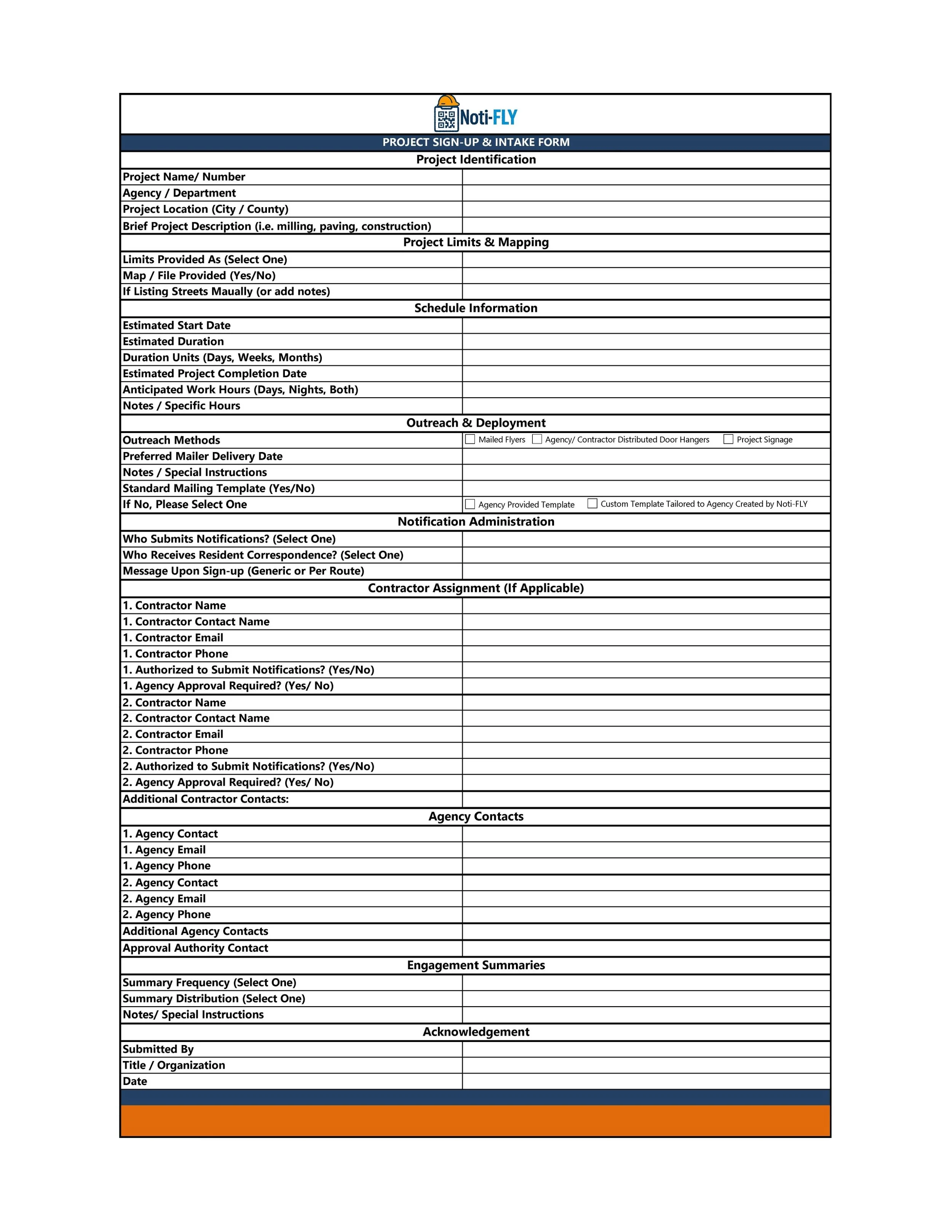
Agencies or contractors begin by completing the Noti-FLY project sign-up form and uploading available project information.
Submitted information typically includes:
Project name and number
Estimated start and duration
Project map or paving list
Agency and contractor contacts
Notification preferences (mailers, signage, two-way communication)
This information allows Noti-FLY to define notification areas and prepare project-specific outreach.
Step 2: Agencies Receive a Project Summary
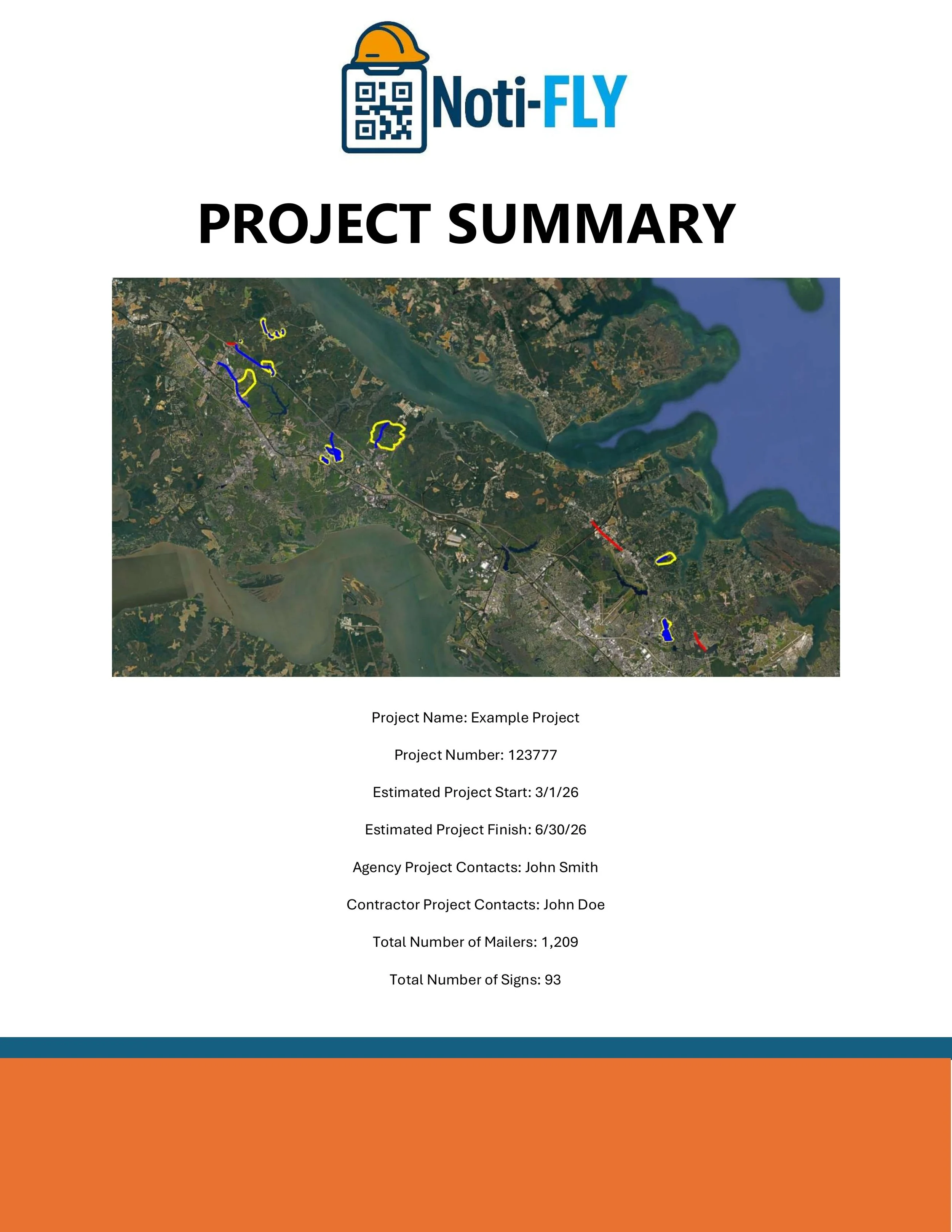
Upon receiving the submission, Noti-FLY reviews the project details and develops a Project Summary that clearly outlines:
Defined notification zones and routes
Estimated number of mailers per location
Recommended signage quantities (if applicable)
Project-specific QR code groups
This summary ensures all parties have a clear understanding of what areas are covered and how residents will be connected to the project.
Step 3: Agencies Receive a QR Master Sheet
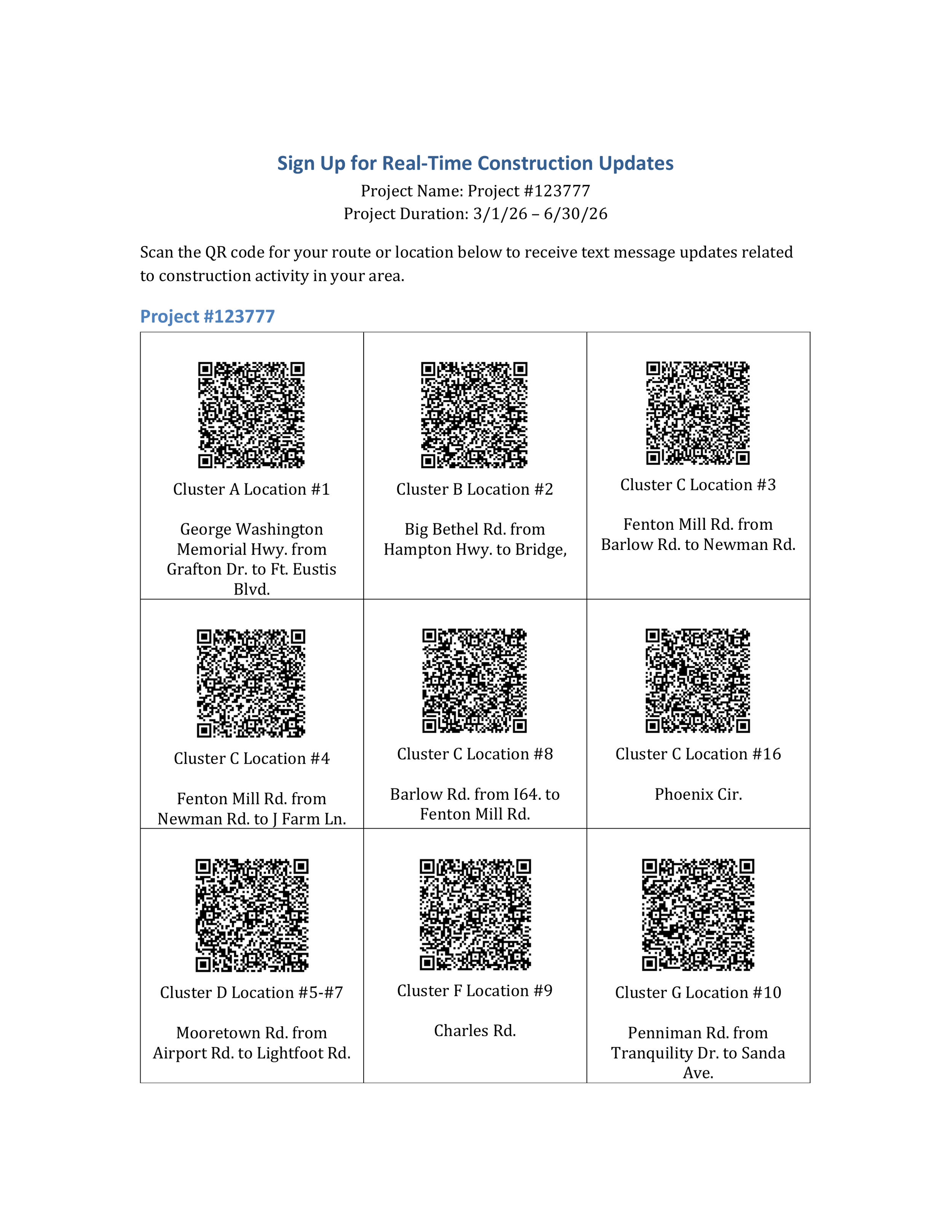
Agencies can post this QR Master Page on their website so residents can sign up for project-specific text updates even if a mailer is missed. Each QR code is tied to a specific route or location. The page also includes an Admin Sign-Up QR Code, allowing agency staff and internal departments to enroll in all notification groups at once for full project visibility.
Step 4: Agencies Receive Monthly Engagement Summaries
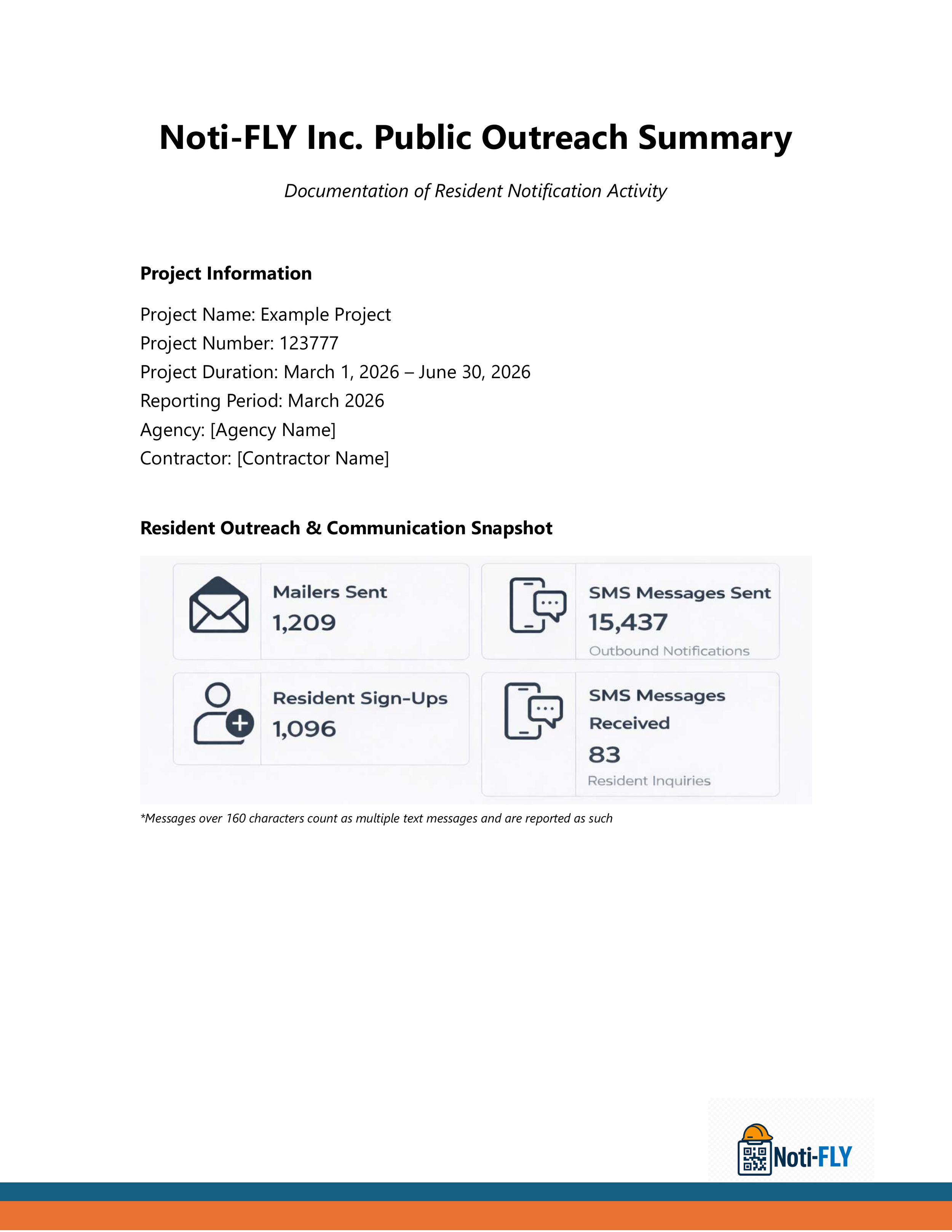
Throughout the duration of the project, agencies or contractors receive monthly engagement summaries that provide clear visibility into how residents are interacting with construction notifications. These summaries include key metrics such as the number of mailers sent, the number of resident sign-ups, the number of messages sent and received, and overall engagement activity. This reporting supports transparency, internal documentation, and accountability—without requiring agencies or contractors to manage dashboards or tracking systems.